
In late October 2026 the PHP project shipped an emergency-grade security release. Two separate flaws in the engine itself — CVE-2026-109618 and CVE-2026-109619, nicknamed PHP2Shell — are each rated CVSS 9.2 and can end in unauthenticated remote code execution: an attacker running their own code on your server without logging in to anything.
If you write PHP, host PHP, or have a WordPress, Laravel or custom PHP application sitting on a server somewhere, this one matters. The good news is that the fix exists, it is free, and checking whether you need it takes about two minutes. Here is the plain-English version.
Key takeaways
- Affected: PHP 8.5.11 and earlier on the 8.5 branch, with matching fixes on 8.4, 8.3 and 8.2. If you are on an older, unsupported branch you are not “unaffected” — you are simply not getting fixes at all.
- Fixed in PHP 8.5.12, released 21 October 2026. Updating is the only complete fix; there is no configuration setting that closes these two.
- Nothing is left outstanding. Re-checked on 27 October 2026: PHP 8.5.12 is still the newest release on every supported branch, and no published PHP vulnerability affects it.
- PPServer 0.7.0 — the free local PHP stack — ships the patched PHP 8.5.12 and a current Caddy. The fix went out within days of the disclosure.
- A local development stack is lower risk than a public server, but it is not zero risk. The PHP on your laptop is the PHP your code runs on all day.
What actually happened
Most PHP security news is about applications — a vulnerable plugin, an unescaped query, a file-upload form that accepts too much. This is different and rarer: the bugs are in the PHP engine itself, below anything you wrote.
Because the flaws are in the interpreter rather than in a library you chose, no framework protects you from them and no amount of careful application code is a substitute for the patch. A site built with Laravel, Symfony, WordPress, or hand-written PHP is in exactly the same position: it depends entirely on which PHP binary is serving the request.
Two minutes: are you affected?
The only thing that matters is the version number your server runs. Not the one you installed last year, not the one your laptop has, and not the one your hosting plan advertises on a pricing page.
- Check from the command line. On the server, run
php -v. The first line gives the version. Note that command-line PHP and web PHP can be different builds on the same machine. - Check what the web actually serves. Create a file containing
<?php echo PHP_VERSION;, open it in a browser, then delete it. This is the number that counts. (Never leave aphpinfo()page reachable — it is a map of your server for anyone who finds it.) - Compare. On the 8.5 branch you want 8.5.12 or newer. On 8.4, 8.3 and 8.2 there are equivalent patch releases from the same day. Anything older than your branch’s patched release is exposed.
- Update, then verify again. On shared hosting this is usually a PHP-version selector in the control panel. On a VPS it is your package manager. On a local stack it should be a new download, not an afternoon.
This post first listed a third flaw, “CVE-2026-115560”, as disclosed alongside the other two and still unpatched, and recommended a php.ini mitigation for it. That CVE does not exist. MITRE returns CVE_RECORD_DNE for it, NVD has no such record, and PHP published exactly two advisories for this release. We have removed the claim and the setting. Our apologies — on a security page in particular, a number that cannot be looked up is worse than no number at all.
If you develop on PPServer, this is already done
PPServer is our free, portable PHP development stack — PHP, MariaDB, Caddy, phpMyAdmin and a SQLite studio in a single folder, for Windows, macOS and Linux, with no installer and no administrator password. Version 0.7.0 is the current release; the security fix went out within days of the disclosure.
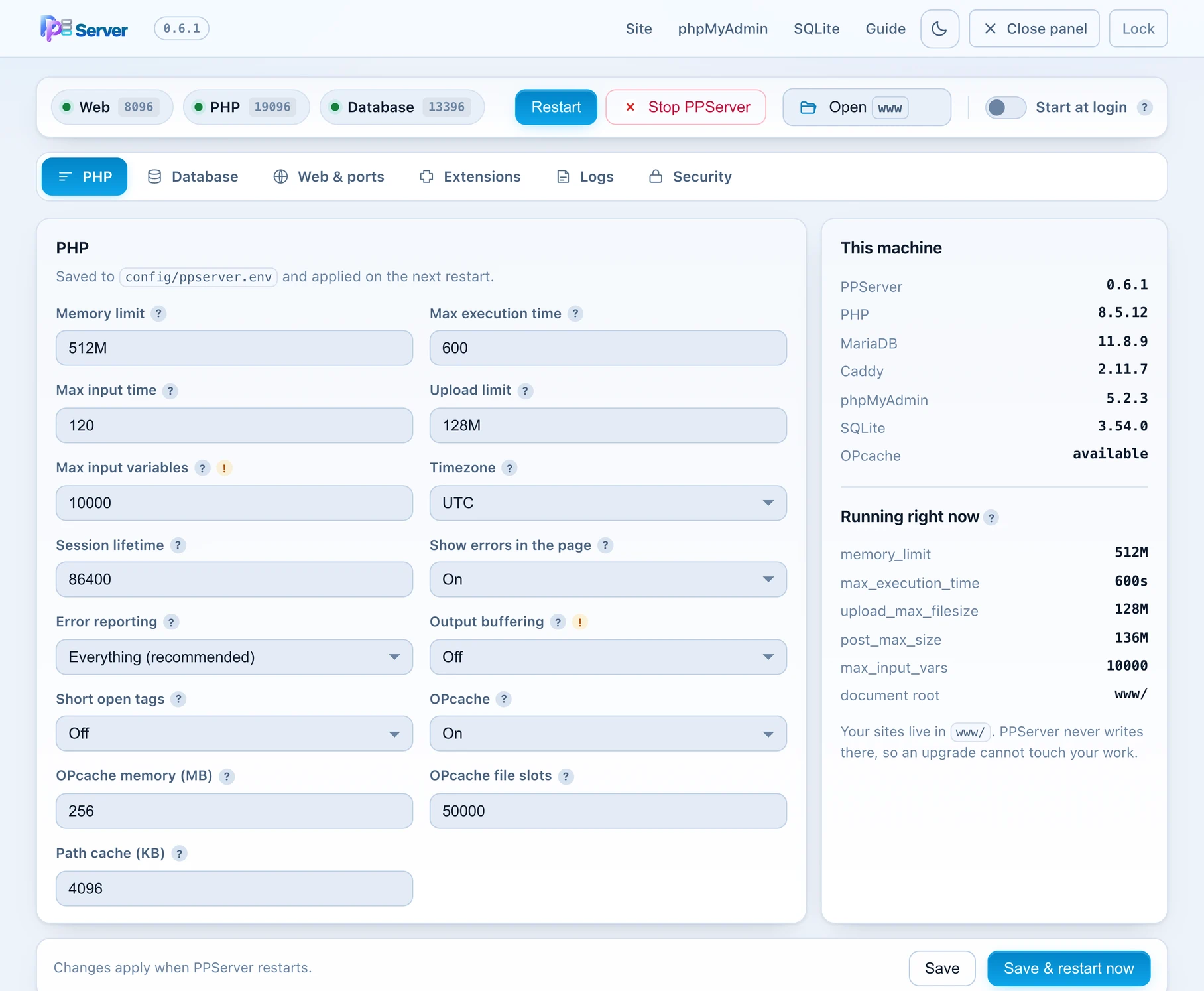
php.ini you had to find first.Upgrading is unzipping the new folder beside the old one, then using the Backup tab to carry your databases and sites across in one verified file. The restore takes a safety copy before it replaces anything, and the old folder stays untouched until you are satisfied.
Patched quickly is good. Built to stay closed is better.
Shipping a patch fast is a response. The more useful question for anything you install is what it does on an ordinary day. A development stack is a privileged thing to run on your machine, and most of them are far more open than they need to be.
127.0.0.1, and the web server replies only to localhost names — so a web page that points itself at your machine gets a refusal, not your control panel..env or a .git folder in a real project cannot be fetched, including through encoded or mixed-case paths.And every archive is unpacked and actually run before it is published — the stack is started, the panel and database tools are opened, a database is created and dropped, a PHP worker is killed to confirm it is replaced while requests keep succeeding, and the cryptography is exercised end to end. You can read the full component list and what each version fixes before you download anything.
The other half: applications that are secure by construction
Patching the engine protects the floor your application stands on. It does nothing about the application. The most common breaches are still the ordinary ones — a form that trusts its input, a page that forgets to check who is asking, an export that quietly includes rows the user should never see.
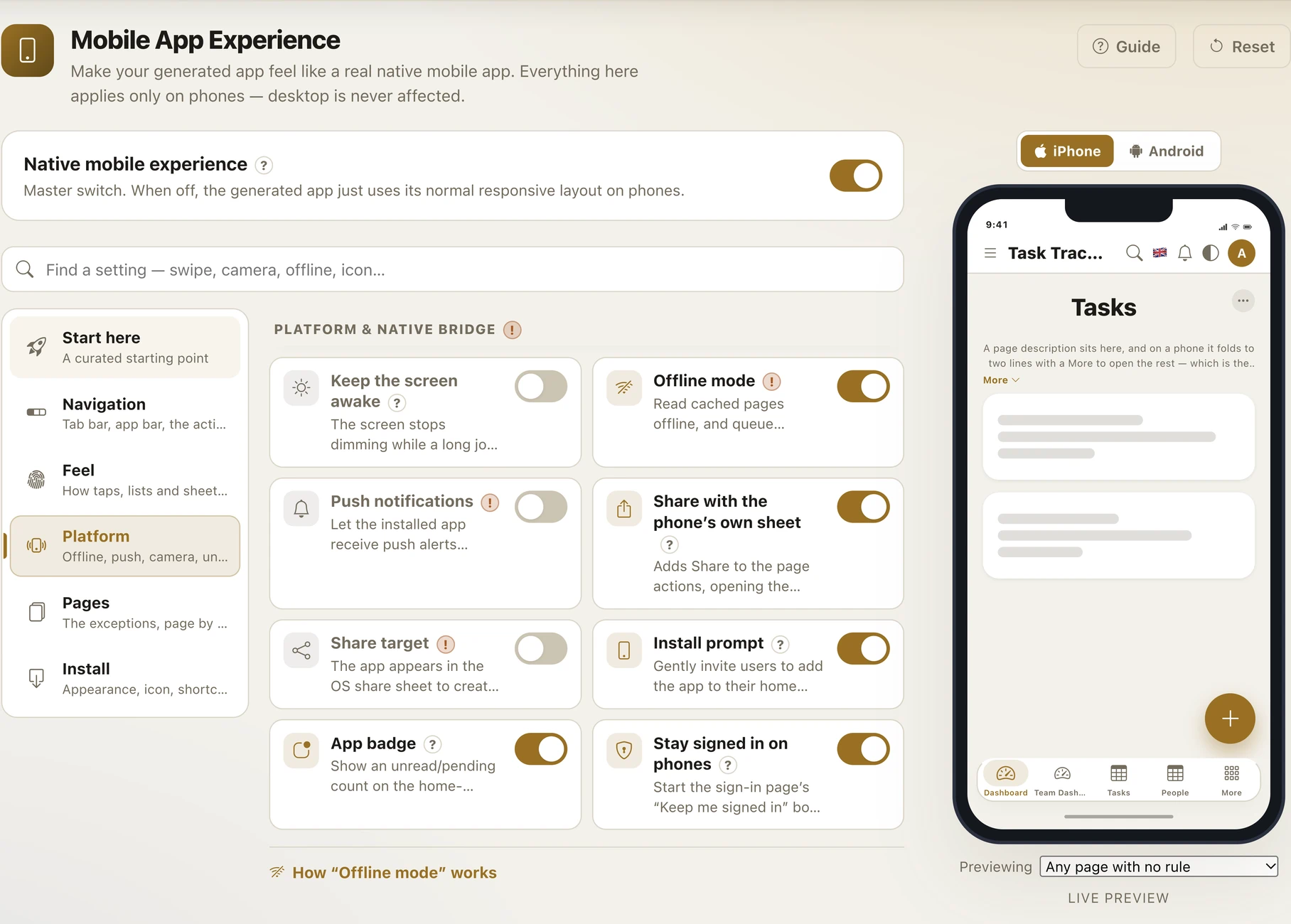
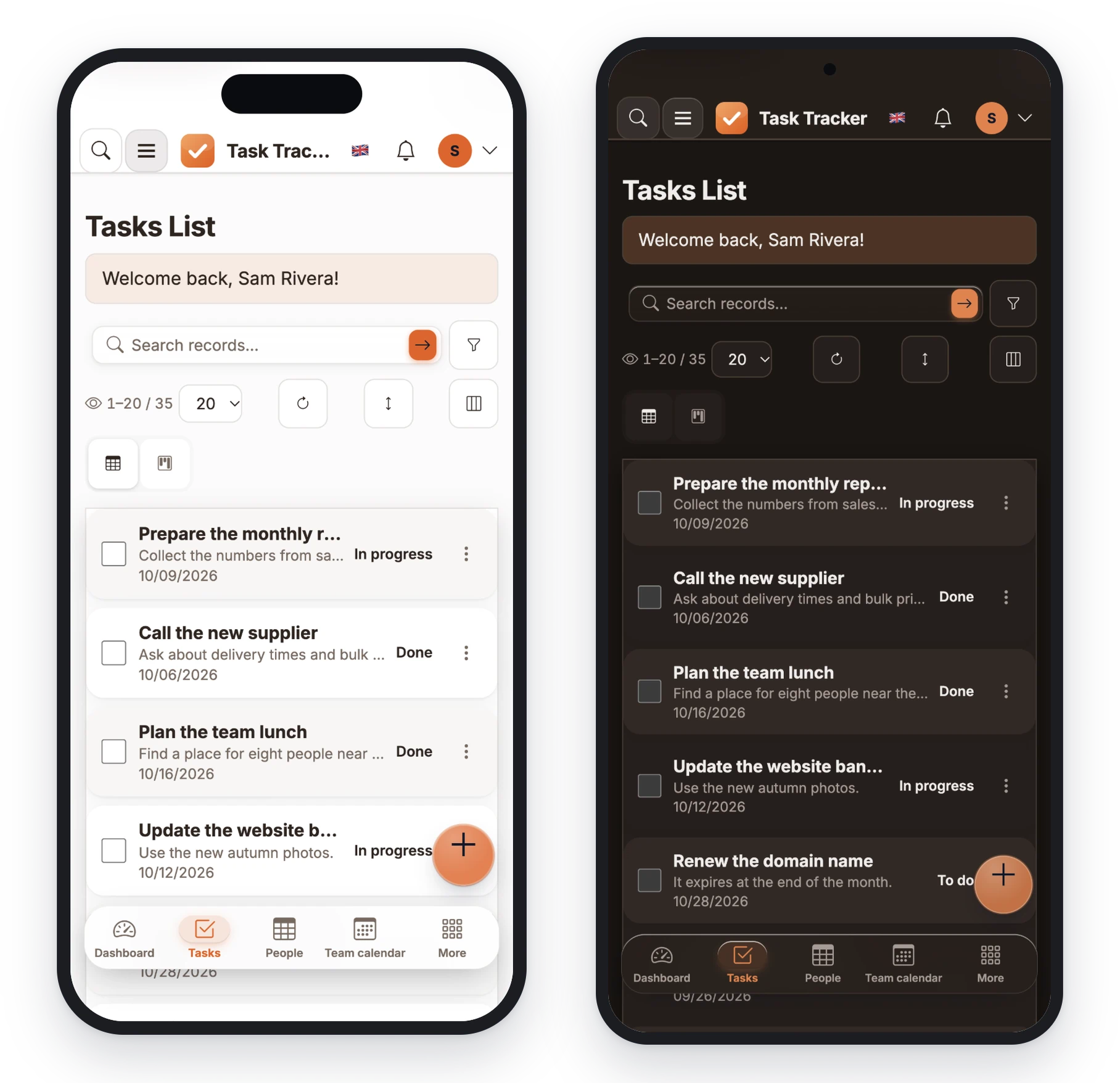
PPPHP RAD Studio takes the position that those protections should not be something you remember to add. You point it at a SQL database — MySQL, MariaDB, PostgreSQL, SQL Server or SQLite — and it generates a complete, working application in plain PHP that you own, with the security already wired in.
tenant_id = :user.tenant_id follows the user through lists, detail pages, exports, dashboards, charts and the REST API — not just the page you remembered.Rapid, in the sense that actually matters
Speed is a security feature. The reason stacks go unpatched and applications grow holes is almost never that nobody cared — it is that the work was expensive, so it waited. The less code you hand-write, the less there is to get wrong, and the faster you can respond when something like this week happens.
A short checklist you can act on today
- Find out which PHP your live site runs. Not the one you think it runs.
- Update to the patched release for your branch — 8.5.12 on 8.5, or the equivalent on 8.4, 8.3 and 8.2.
- Update your development machine too. It runs other people’s code all day; a current local stack takes minutes.
- Then look at the application layer — who can see which rows, what is encrypted, whether there is an audit trail, and whether anyone would notice a breach.
Get a patched stack, and an app worth putting on it
PPServer is free and unpacks in under a minute. PPPHP RAD Studio turns a database into a secure web and mobile application — and gives you plain PHP you own.
Frequently asked questions
Which PHP versions are affected by CVE-2026-109618 and CVE-2026-109619?
PHP 8.5.11 and earlier on the 8.5 branch, with equivalent patch releases issued the same day for 8.4, 8.3 and 8.2. Branches that have reached end of life receive no fix at all, so running one is the higher risk, not the safer option.
What is PHP2Shell?
It is the nickname given to the two critical flaws disclosed together in October 2026. One is memory corruption during out-of-memory handling; the other is global state left behind by one request and reused by the next. Both are rated CVSS 9.2 and can lead to unauthenticated remote code execution.
How do I check which PHP version my website is running?
Run php -v on the server for the command-line build, and separately print PHP_VERSION from a one-line PHP file opened in a browser for the version the web server actually uses — the two can differ. Delete that file afterwards, and never leave a phpinfo() page reachable.
Is there a workaround if I cannot update PHP right now?
No — updating is the only complete fix. There is no configuration setting that closes these two.
Was PPServer affected, and is it fixed?
PPServer 0.5.0 shipped PHP 8.5.11, so it carried the flaws. The current release, PPServer 0.7.0, ships the patched PHP 8.5.12 and a current Caddy 2.11.7; re-checked on 30 October 2026, no published PHP vulnerability affects 8.5.12. Because PPServer binds only to your own machine and refuses requests arriving under any other hostname, the practical exposure was lower than a public web server — but the bundled PHP is the PHP your projects run on, so updating is worth doing.
Do applications generated by PPPHP RAD Studio need patching?
A generated application is plain PHP, so its security depends on the PHP version of whatever server hosts it — update that server as you would any other. The application code itself is unaffected by these engine-level flaws.
Does PPPHP RAD Studio handle application security as well?
Yes. Generated apps use prepared statements and escaped output, CSRF-protected forms, role and group permissions, row-level security that follows through exports and APIs, AES-256-GCM field encryption, two-factor authentication and passkeys, an audit trail and record locking.
Is PPServer free, and does it work on Windows, macOS and Linux?
Yes to both. It is free, and there is a build for Windows, macOS and Linux. It unpacks into one folder, needs no installer and no administrator password, and deleting the folder removes it completely.
Can I build a mobile app and a web app from the same project?
Yes. The same project builds a responsive web application and an installable progressive web app with offline support, push notifications and a home-screen icon, so there is no second codebase to keep patched.
Build your first app today
Point PPPHP RAD Studio at a database — or start on the built-in one — and have a secure, responsive web app running before lunch.